
U-TurnPD & PushPress Members App Guide
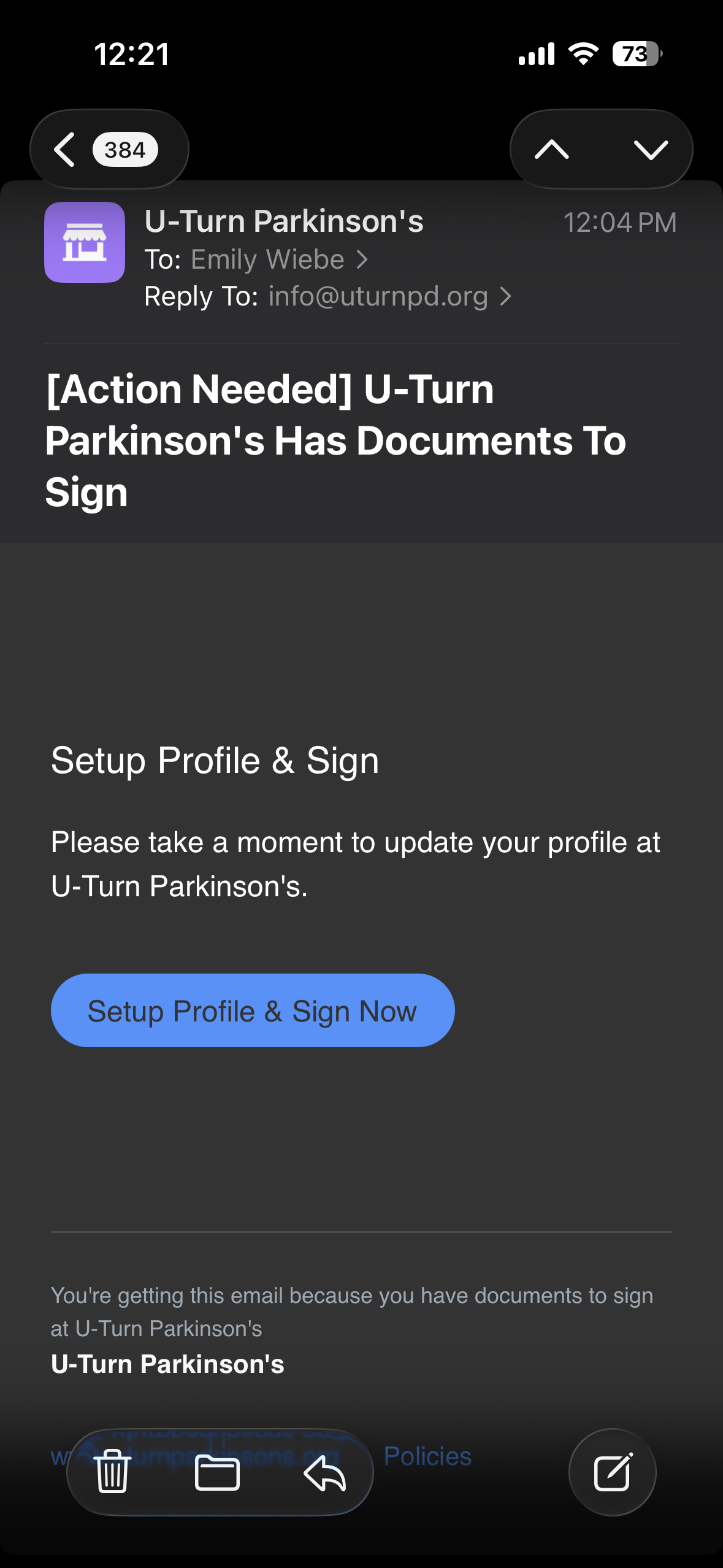
Step 1: Locate the email prompting you to set up your profile sent on March 9, 2026. It may be in your junk mail. It will look like this:
Step 2: Fill in your profile with your information and scroll down to view the Client Agreement & Liability Waiver.
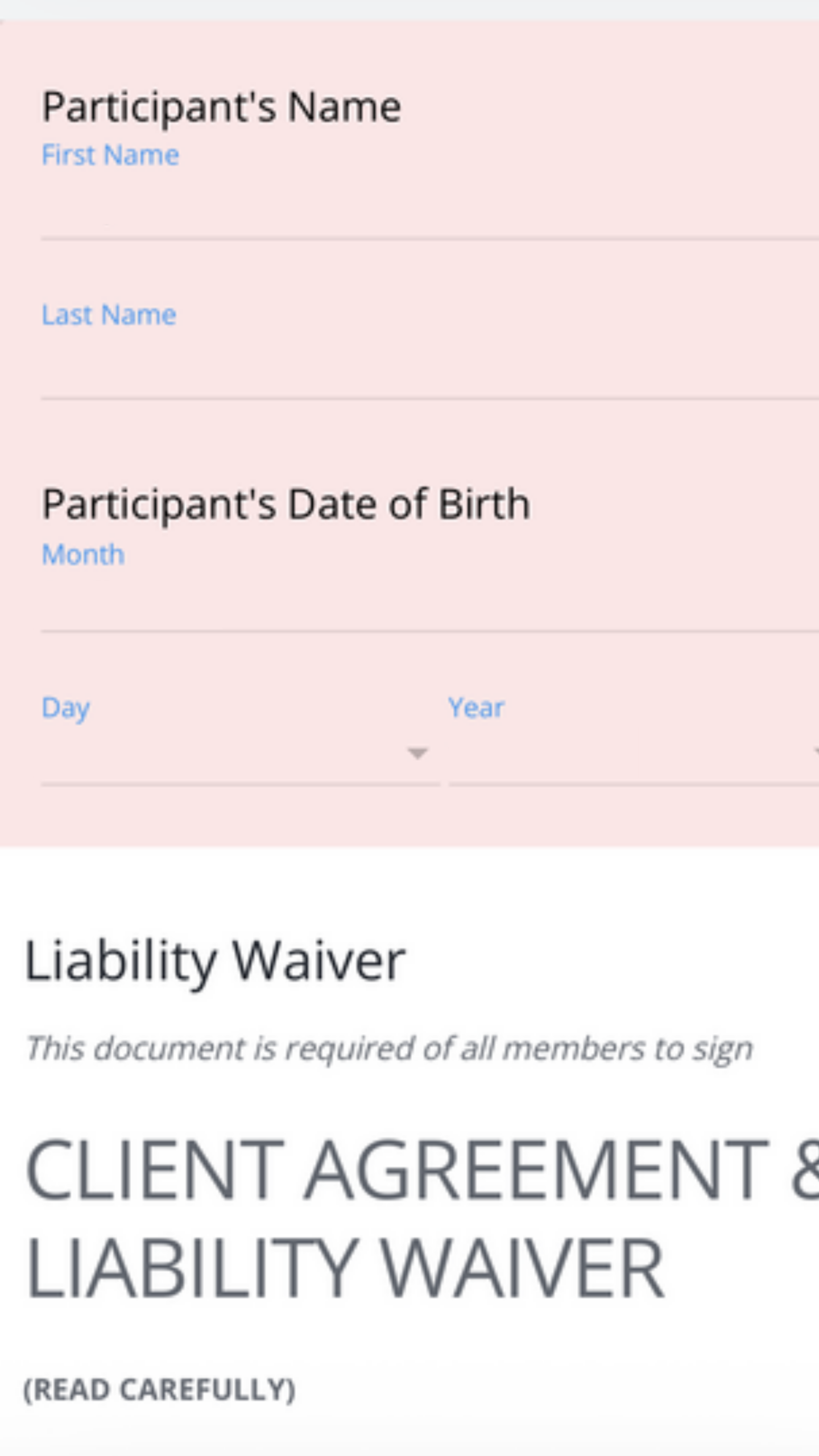
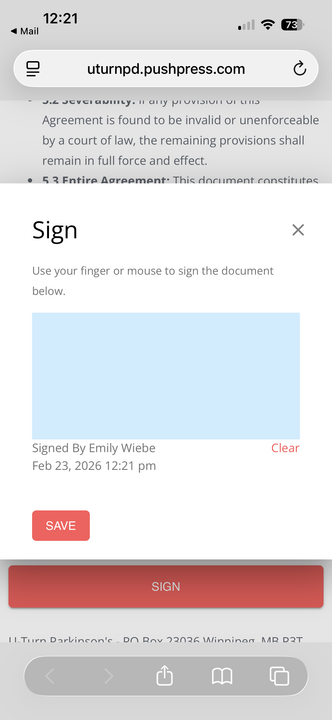
Step 3: Read & sign the Client Agreement & Liability Waiver.
Step 4: Once you’ve signed the waiver, you’ll be prompted to download the “Members App.”
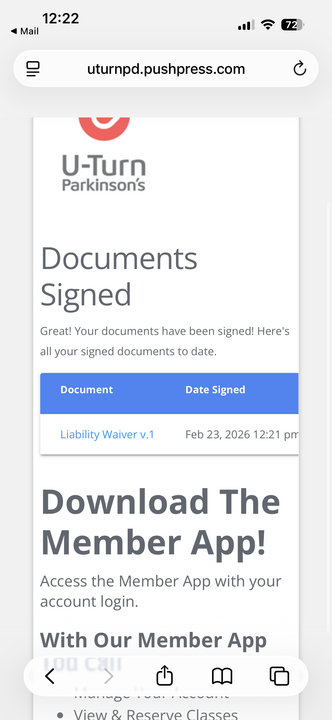
Downloading the app is optional but encouraged!
The free app will provide quick and easy access to your class schedule and U-TurnPD updates.
If you don’t want to download the app, you can sign into your profile via web browser here: https://members.pushpress.com/
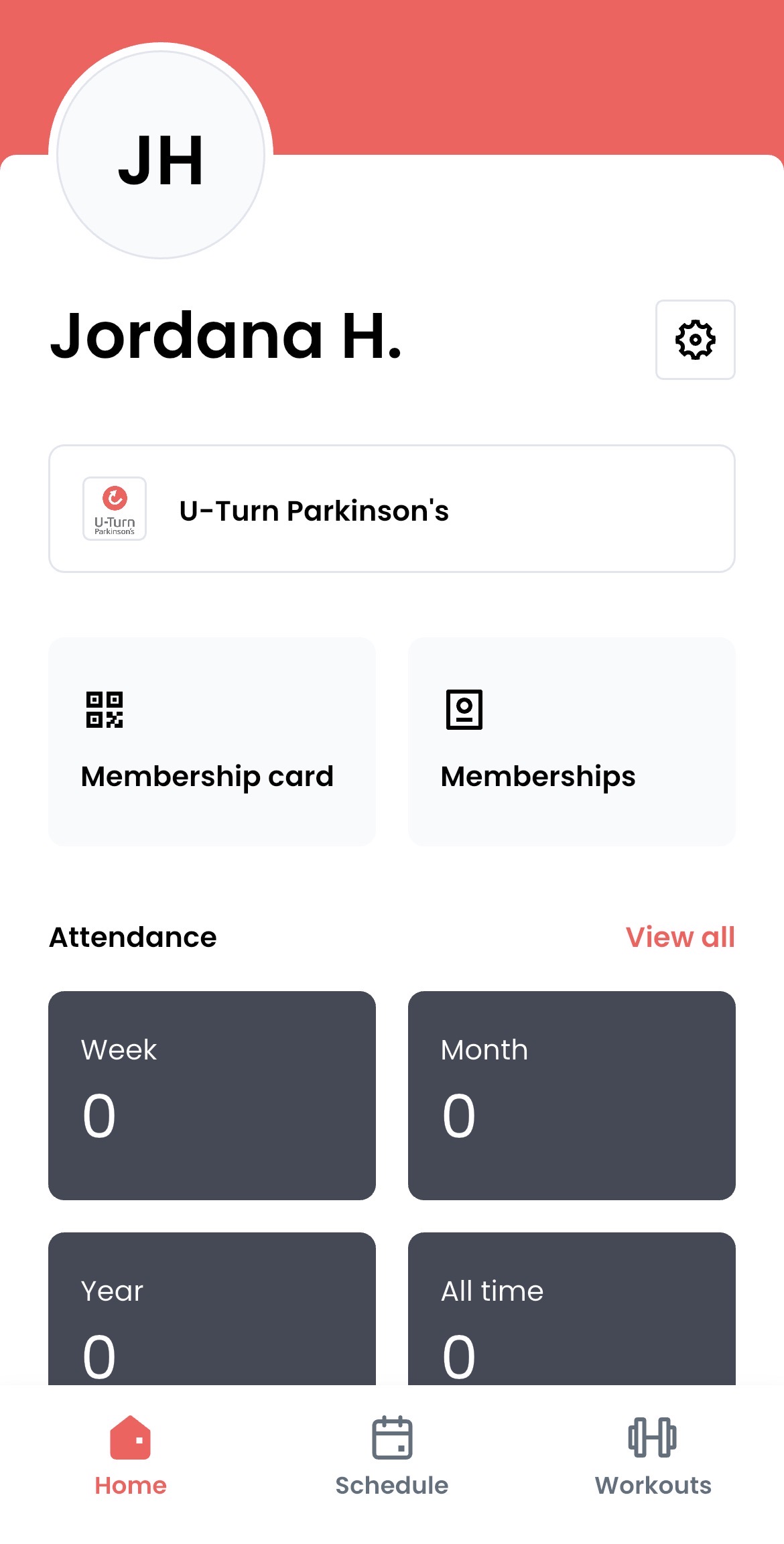
The Members App will look like this:

Once you’re logged in, your home page will look like the photo below. Click the “schedule” tab and scroll to the week of March 23rd to see the class list.
2
Once you’re logged in, nothing further is required at this time. You will continue logging in via the website, Mindbody or our auto-enrol system until Saturday, March 21.
Beginning on March 23, classes will be available to book on the new PushPress Members App and will no longer be available to book via Mindbody.
Please view the Sign Up for Classes Guide for a step-by-step process for signing up for classes via your Members App or in your browser.
Thank you for your patience during this transition, we hope you enjoy using our new app!
Have a question?
Call us at 204-510-4869 or email info@uturnpd.org.